What Is a YouTube Shorts Ideas Generator?
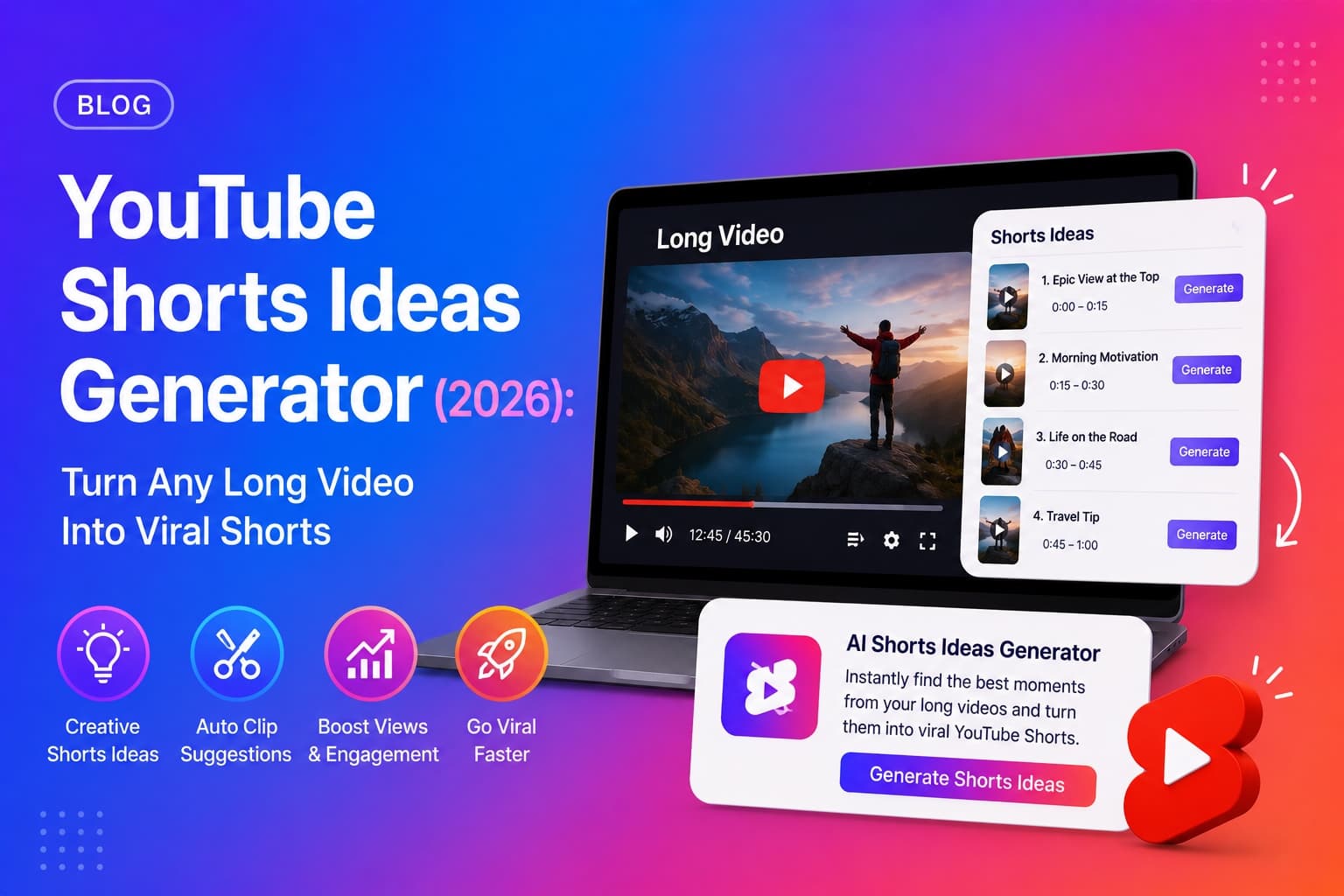
A YouTube Shorts ideas generator is an AI tool that reads a video's full transcript and picks out the segments most likely to work as standalone vertical clips — the moments with a strong hook, a self-contained idea, and enough energy to stop someone mid-scroll. Instead of manually scrubbing through a 20 or 40-minute video looking for a good 30-second clip, the tool surfaces candidates for you in seconds, each with an exact timestamp.
The output is not just a timestamp. A good Shorts ideas generator also gives you a title for the clip and a suggested opening line — because the biggest difference between a Short that gets watched and one that gets scrolled past is what happens in the first second, not the footage itself.
Why Every Long-Form Video Is Also 3-5 Unpublished Shorts
- check_circleYouTube recommends Shorts through a completely separate feed from long-form videos — so a clip from your video reaches an audience your original upload never touched.
- check_circleYou already did the work. Cutting a Short from existing footage costs zero additional filming, editing setup, or production time.
- check_circleShorts act as a discovery funnel — a viewer who watches your 45-second clip can be pointed, via comment or end screen, straight to the full video.
- check_circlePublishing consistently is one of the hardest parts of growing a channel. Shorts let one recording session produce a week of additional content.
- check_circleOlder, evergreen long-form videos get a second life — a Short cut from a video you uploaded a year ago can resurface that content to a brand-new audience today.
Shorts do not cannibalize your long-form views
Shorts and long-form videos are recommended through separate systems, to different intents — someone scrolling Shorts is browsing, someone searching or watching long-form is seeking depth. Used well, Shorts are a top-of-funnel discovery layer that feeds your main channel rather than competing with it.
What Makes a Clip Actually Work as a Short?
Not every interesting moment in a video makes a good Short. The clips that perform share four specific traits:
Self-contained — no context required
A viewer landing on your Short has never seen the rest of the video and never will unless the clip earns it. If the clip only makes sense after five minutes of setup, it will not work as a standalone piece — pick moments that are complete ideas on their own.
A hook in the first one to two seconds
Shorts are watched in a scrolling feed, not chosen from a list of thumbnails. The opening line or visual has to justify the next five seconds of attention immediately — a bold claim, a surprising number, or a direct question works far better than a slow warm-up.
Short — ideally 15 to 30 seconds
Retention drops fast in a scroll-based feed. A tightly cut 20-second clip that delivers one complete idea will consistently outperform a padded 55-second version of the same moment.
One idea, not a summary
A Short is not a trailer for the full video and it is not a highlight reel. The strongest clips isolate a single tip, a single surprising statement, or a single story beat — trying to compress three ideas into one Short usually weakens all three.
Shorts-worthy clip checklist
- arrow_rightMakes complete sense with zero context from the rest of the video
- arrow_rightOpens with a hook in the first 1-2 seconds — no slow intro
- arrow_rightDelivers exactly one idea, tip, or story beat
- arrow_rightRuns 15-30 seconds for the strongest retention
- arrow_rightWorks with the sound off — visual or captioned text carries the point
How Many Shorts Should You Cut From One Video?
This depends on how much self-contained, hook-worthy material the video actually contains — padding out weak moments to hit a number hurts more than it helps. As a rough guide by video length:
- check_circleUnder 10 minutes: 1-2 Shorts — shorter videos usually have one strong standout moment.
- check_circle10-30 minutes: 3-5 Shorts — enough runtime to contain several distinct, self-contained ideas.
- check_circle30-60 minutes: 5-7 Shorts — long-form interviews and tutorials typically have multiple clip-worthy beats spread across the runtime.
- check_circleOver 60 minutes: 7+ Shorts — treat a long podcast or deep-dive as a library of clips to release over the following weeks, not a one-time cut.
How to Turn a Long Video Into Shorts (Step by Step)
- 1Rewatch the video (or scan the transcript) looking specifically for self-contained, hook-worthy moments — not just interesting ones.
- 2Note the exact start timestamp for each candidate moment.
- 3Trim to 15-30 seconds, cutting as close to the hook as possible — do not include a run-up or preamble.
- 4Reframe or crop the footage to a vertical 9:16 aspect ratio.
- 5Add burned-in captions or text overlay — a large share of Shorts are watched with the sound off.
- 6Write a short, punchy title and description, and include #Shorts so YouTube classifies it correctly.
- 7Add an end-screen callout or pinned comment pointing viewers to the full video for more context.
Every Short lives or dies on its opening line. See our YouTube hook generator guide for hook formulas that stop the scroll.
YouTube Shorts Formatting Rules Worth Following
- check_circleUpload natively to YouTube — reposting a clip with another platform's watermark visibly hurts how Shorts gets recommended.
- check_circleFrame for vertical 9:16 — clips cropped from widescreen footage should keep the subject centred so nothing important sits outside the crop.
- check_circleAdd captions — many viewers watch Shorts with sound off, especially in public or at work.
- check_circleInclude #Shorts in the title or description — it is a small but reliable classification signal.
- check_circleKeep text overlay large and high-contrast — it needs to be readable at a glance on a phone screen while scrolling.
How a YouTube Shorts Ideas Generator Works
A YouTube Shorts ideas generator reads the full timestamped transcript of a video and scores segments for the same traits a human editor would look for — a strong opening line, a self-contained idea, and a natural end point — rather than picking moments at random or by keyword density.
For each candidate segment, it returns a timestamp so you know exactly where to start clipping, a short punchy title describing the moment, and a suggested opening line the creator can say (or caption) to hook the viewer in the first second.
Why transcript-based clip selection beats manual scrubbing
- check_circleIt reads the entire video, including moments buried 30+ minutes in that a quick rewatch would likely skip past.
- check_circleIt is grounded in what was actually said — the suggested hook line comes from real dialogue, not a generic template.
- check_circleIt happens in seconds, removing the most time-consuming part of Shorts production: deciding what to clip in the first place.
- check_circleIt is language-aware — the ideas and hooks match the language the video was recorded in.
How Chaptrly Generates YouTube Shorts Ideas
Chaptrly's Shorts ideas generator reads your full video transcript and returns 3-5 clip candidates, each with a timestamp, a title, and a suggested opening hook — generated in the same pass as your chapters, SEO titles, description, and tags from a single YouTube URL.
The output is language-aware — a video recorded in Hindi, Spanish, or any other language gets Shorts ideas and hooks written in that same language, not translated or defaulted to English.
- 1Go to chaptrly.in and paste your YouTube video URL.
- 2Click Generate — Chaptrly fetches the transcript and analyses the full video.
- 3Open the Shorts tab in your results.
- 4Review each clip idea — timestamp, title, and suggested hook.
- 5Open your video editor at that timestamp and cut a 15-30 second clip starting from the hook.
- 6Add captions, crop to vertical, and publish with #Shorts in the description.
Shorts are one part of a full distribution strategy. See the complete YouTube SEO checklist for 2026 — every optimization step in order.
Shorts vs Long-Form: Do You Need to Choose?
No — the two formats serve different jobs and work best together. Long-form video builds watch time, ad revenue, and deep audience trust. Shorts build reach and discovery, putting your content in front of viewers who have never encountered your channel. The most efficient workflow treats every long-form upload as raw material for the Shorts that follow it, rather than treating Shorts as a separate content strategy that needs its own filming time.
Chaptrly generates Shorts ideas, chapter timestamps, 8 SEO title options, a full video description, hook scripts, a tweet thread, key quotes, a pinned comment draft, and keyword tags — all from one video URL, all included on the free plan.