Why Your YouTube Title Is the Most Important SEO Decision You Make
Your YouTube title does three jobs at once: it tells the algorithm what your video is about, it convinces a viewer to click, and it sets the expectation for what they will watch. Get it wrong and no thumbnail or hook can save your video — it simply will not be shown to the right people.
YouTube's search algorithm weighs your title more heavily than any other text field. A keyword in your title is more powerful than the same keyword in your description, tags, or captions. That makes your title the single highest-leverage piece of text in your entire video setup.
What Makes a YouTube Title Good?
A strong YouTube title has to satisfy two very different audiences at the same time: a search algorithm looking for relevance signals, and a human viewer deciding in under two seconds whether to click. The titles that perform best do both.
What the algorithm needs
- check_circleYour primary keyword near the front of the title — YouTube reads left to right.
- check_circleNatural keyword phrasing — keyword-stuffed titles trigger spam signals and perform worse.
- check_circleSpecificity — vague titles reduce relevance matching in search.
- check_circleConsistency with your description and chapter titles — mismatched signals reduce ranking.
What the viewer needs
- check_circleA clear promise — what will I get from watching this?
- check_circleCuriosity or urgency — a reason to click now rather than later.
- check_circleCredibility — a number, timeframe, or specific result makes the promise believable.
- check_circleScannability — the most important words must be readable in under two seconds.
The two-second rule
Viewers do not read YouTube titles — they scan them. If the core value of your title is not clear in the first four or five words, most people will scroll past without processing the rest.
The YouTube Title Formulas That Actually Work
Top creators do not write titles from scratch every time. They use proven formulas that reliably generate clicks across different video types. Here are the formats with the strongest track record:
The How-To title
"How to [achieve result] [optional modifier]" — this is the most searched title format on YouTube. It matches exactly how viewers phrase questions when they want to learn something. Example: "How to Write YouTube Titles That Get More Clicks".
The Listicle title
"[Number] [Things/Ways/Mistakes] That [Result]" — numbers signal a finite, scannable video. Viewers know what they are getting. Example: "7 YouTube Title Mistakes That Kill Your Click-Through Rate".
The Result title
"I Did [X] for [Timeframe] — Here's What Happened" — story-driven titles with a built-in tension loop. The viewer wants to know the outcome. Example: "I Tested 50 YouTube Titles for 30 Days — Here's What Worked".
The Versus title
"[Option A] vs [Option B]: Which Is Better?" — high-intent searches from viewers already evaluating two things. Strong in review, comparison, and tutorial content. Example: "AI-Generated Titles vs Manual Titles: Which Gets More Views?".
The Warning title
"[Number] [Topic] Mistakes You're Probably Making" — loss-aversion framing. Viewers click to find out if they are doing something wrong. Example: "5 YouTube SEO Mistakes Most Creators Make in 2026".
Want the full pre-publish checklist? See our YouTube SEO checklist for 2026 — every step before you hit publish.
YouTube Title Length: How Long Should Your Title Be?
YouTube titles are truncated in search results at approximately 60 characters on desktop. On mobile, the cut-off is shorter — often around 50 characters. Beyond that, viewers see an ellipsis and your title trails off.
Title length guidelines
- arrow_rightAim for 50–60 characters total for most titles.
- arrow_rightPut your keyword and main value within the first 50 characters.
- arrow_rightFor How-To and Listicle titles, 55–65 characters is usually safe.
- arrow_rightAvoid going above 70 characters — important words will be cut off in mobile search.
- arrow_rightCheck how your title looks at 50 characters: everything after that is bonus, not guaranteed.
YouTube Title Mistakes That Reduce Your Click-Through Rate
- check_circlePutting the keyword at the end — YouTube weights the beginning of your title more heavily.
- check_circleClickbait without delivery — a title that overpromises and underdelivers tanks your watch time and hurts algorithmic performance long-term.
- check_circleAll caps — it looks like spam and reduces perceived credibility.
- check_circleNo specificity — "My YouTube Journey" tells the algorithm and the viewer nothing useful.
- check_circleDuplicate titles across videos — each title should target a unique keyword to avoid cannibalising your own search rankings.
- check_circleIgnoring the year — adding "(2026)" to evergreen titles is a simple tactic that consistently improves CTR for tutorial and advice content.
- check_circleWriting for the algorithm only — a title stuffed with keywords but hard to read as a human will get impressions but low CTR.
How to Do Keyword Research for YouTube Titles
Strong YouTube titles are built around the exact phrasing viewers use when they search. Here is how to find those phrases before you write your title:
- 1Type your topic into YouTube's search bar and note the autocomplete suggestions — these are actual search queries.
- 2Look at the titles of the top 5 ranking videos for your topic — identify the exact keyword phrase they all share.
- 3Check Google autocomplete for the same topic — YouTube videos rank in Google, so Google search intent is equally relevant.
- 4Note related searches at the bottom of Google results — these reveal adjacent keywords for your chapter titles and description.
- 5Use your primary keyword in the title and secondary keywords in your description and chapters.
Lead with what viewers type, not what you think sounds good
The best YouTube titles are not creative writing — they are precision matches between what viewers search and what your video delivers. Creativity comes from the hook, the packaging, and the execution — not from reinventing how viewers phrase their search.
Your title gets viewers to click — your hook keeps them watching. Learn how to write one with our YouTube hook generator guide .
How an AI YouTube Title Generator Works
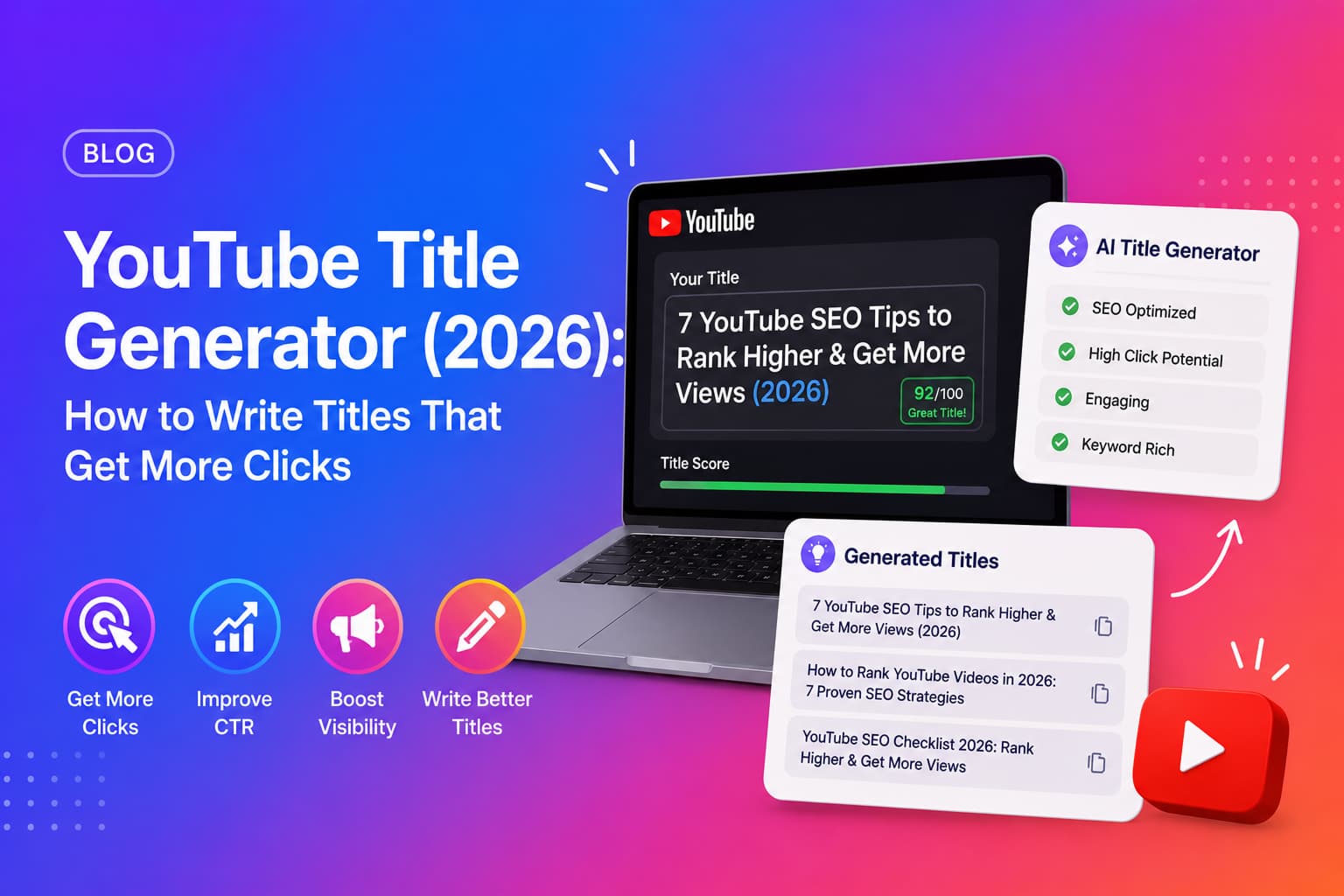
An AI YouTube title generator reads your video's transcript, identifies the topic and core value, and produces multiple title options — each in a different format — optimised for both search relevance and click-through rate.
- 1You paste your YouTube video URL into the tool.
- 2The AI fetches and reads the full video transcript.
- 3It identifies your topic, primary keyword, and the video's strongest value proposition.
- 4It generates multiple title options across different proven formats: How-To, Listicle, Result, Versus, Warning.
- 5You review the options, pick the strongest fit, and update your video title in YouTube Studio.
The advantage of AI-generated titles is not just speed — it is breadth. Writing eight different title formats manually for every video is something almost no creator does. An AI generator makes it trivial, and seeing multiple options often reveals an angle the creator had not considered.
How to Test Which YouTube Title Performs Better
YouTube does not offer native A/B title testing for all creators. But there are practical ways to test title performance over time:
- check_circlePublish with your first title, note your CTR after 48 hours in YouTube Studio.
- check_circleIf CTR is below 4%, update the title and watch for a CTR change over the next 48 hours.
- check_circleUse YouTube's built-in Test & Compare feature (available to some channels) to run official title experiments.
- check_circleCompare CTR across similar videos with different title formats — this reveals which formula resonates with your audience.
- check_circleDo not change a title that is already performing — algorithm momentum is lost when core metadata changes on a high-performing video.
Titles are only one part of the equation. Chapter timestamps are another — see how our YouTube chapters generator boosts SEO and watch time.
Generate YouTube Titles with Chaptrly
Chaptrly's AI YouTube Title Generator produces 8 optimised title options from any YouTube video URL — each in a different format, keyword-aware, and ready to use in YouTube Studio.
The same generation also produces: a Video Score & Optimization report, Competitor Analysis, 3 hook scripts, chapter timestamps, Shorts ideas with timestamps, a tweet thread, key quotes, a pinned comment, an SEO-optimised description, and keyword tags — all from one URL in under 60 seconds.